
To quickly grasp Dapr on Kubernetes, it’s best to start locally rather than with an AKS cluster. Local setup allows for rapid pod creation in seconds, minimizes the consequences of mistakes, and keeps all control-plane components easily accessible for inspection.
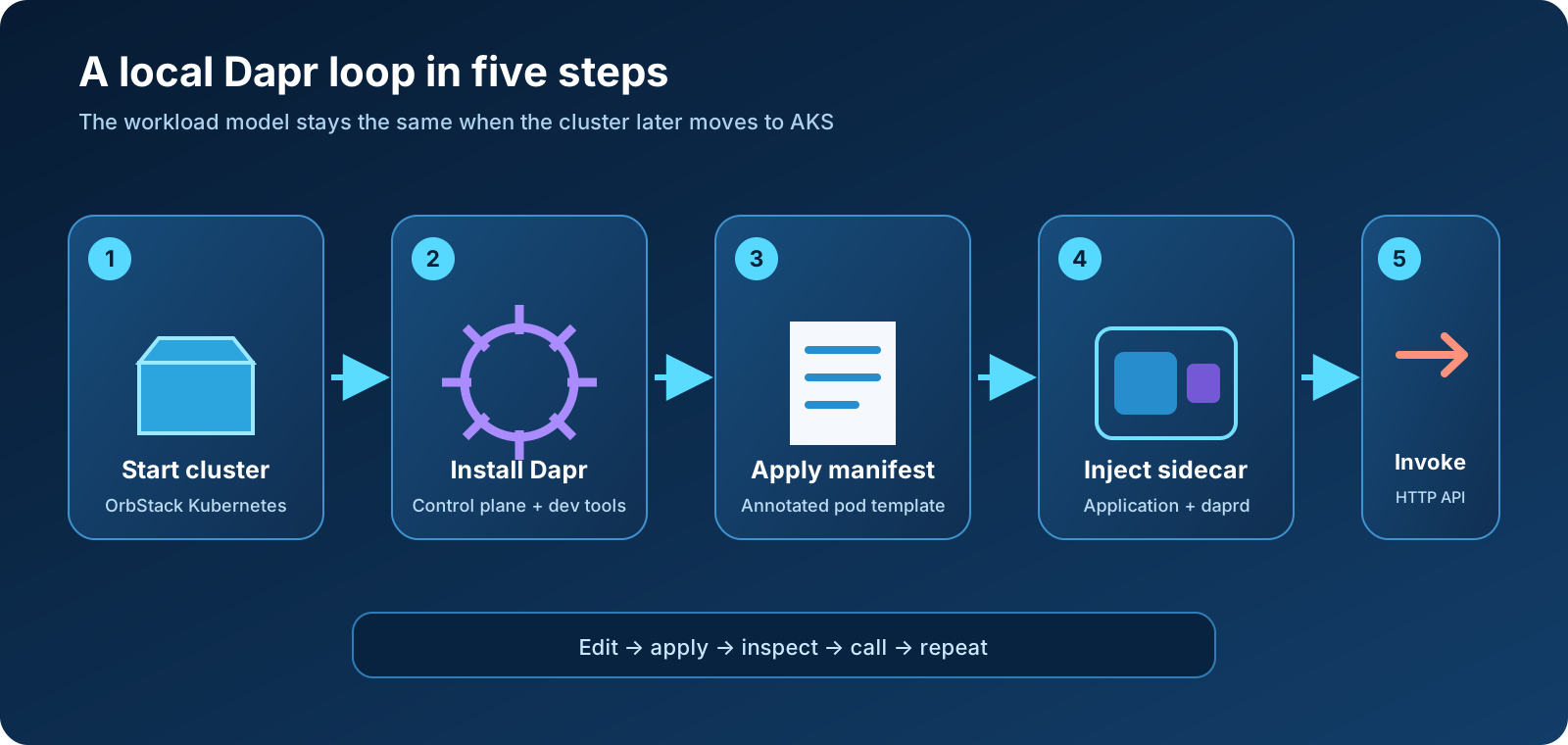
In this post, we’ll demonstrate setting up OrbStack’s single-node Kubernetes cluster on macOS, installing Dapr in development mode, examining the creation process, deploying a simple web app with a sidecar, and accessing it via Dapr’s HTTP API. The same annotations and runtime model apply to AKS later, with only differences in the platform and installation approach.
This is Part 2 of the Dapr on Kubernetes and AKS series. If the distinction between Dapr, Kubernetes, and a service mesh is still unclear, begin with What Is Dapr, and Why Run It on Kubernetes?.
Outcome: by the end, one OrbStack pod will contain an NGINX application container and a Dapr sidecar. A request sent to the sidecar’s service-invocation API will reach NGINX and return its welcome page.
Why OrbStack for this exercise
OrbStack offers a lightweight, single-node Kubernetes cluster integrated with macOS, including kubectl. It shares its container image engine with the Docker environment and ensures Kubernetes service addresses are accessible from the Mac. This creates a streamlined process for building images, applying manifests, and testing services.
Using another local Kubernetes environment: this article uses OrbStack, but Dapr does not depend on it. You can follow the same tutorial with Docker Desktop, Rancher Desktop, Minikube, kind, k3d, or another conformant local Kubernetes installation. Use that platform’s instructions to start the cluster and select its
kubectlcontext; fromdapr init -k --dev --waitonward, the Dapr installation, annotations, sample manifest, and invocation steps are the same. Image loading, service exposure, ingress, and host networking can differ between local Kubernetes products.
Don’t confuse this convenience with production equivalence. OrbStack’s managed cluster has one node, uses Flannel by default, and cannot reproduce AKS availability zones, Azure CNI behavior, managed identities, Azure load balancers, or a realistic node-pool failure. It is the right place to learn Dapr injection and APIs, not to prove production topology.
OrbStack also behaves differently from remote clusters in a few useful ways:
- locally built images are immediately available to Kubernetes because Docker and Kubernetes use the same image store;
- images tagged
latestare pulled by default, so use a non-latesttag or setimagePullPolicy: IfNotPresentfor a local image; ClusterIP,NodePort, andLoadBalancerservices are reachable from macOS; and- wildcard names under
*.k8s.orb.localcan be used for LoadBalancer and Ingress endpoints, although no ingress controller is installed by default.
Our sample uses a public, versioned NGINX image and kubectl port-forward, which keeps the first exercise independent of ingress and local-image behavior.
Prerequisites
You need:
- macOS with a current OrbStack installation;
- the Dapr CLI;
curl; and- enough local memory and disk for the Kubernetes node, Dapr control plane, Redis, Zipkin, and the sample pod.
OrbStack supplies kubectl, but an existing standalone kubectl works as well. Check the tools before changing the cluster:
orb version
kubectl version --client
dapr version
If the Dapr CLI is missing and you use Homebrew, install the official formula from the Dapr tap:
brew install dapr/tap/dapr-cli
The commands below act on the current Kubernetes context. This matters if you also operate AKS or another cluster from the same workstation.
Start Kubernetes and verify the context
Start OrbStack’s managed Kubernetes cluster:
orb start k8s
Verify the active context before installing anything:
kubectl config current-context
kubectl cluster-info
kubectl get nodes -o wide
The context should point to OrbStack, and one node should reach Ready. If it does not, stop here. Running dapr init -k against the wrong context can install Dapr into a real remote cluster.
A useful habit is to make the intended context explicit for consequential commands:
kubectl config get-contexts
If necessary, switch to the OrbStack context shown by that command:
kubectl config use-context orbstack
Context names can differ between versions or installations, so use the value displayed on your machine rather than assuming it.
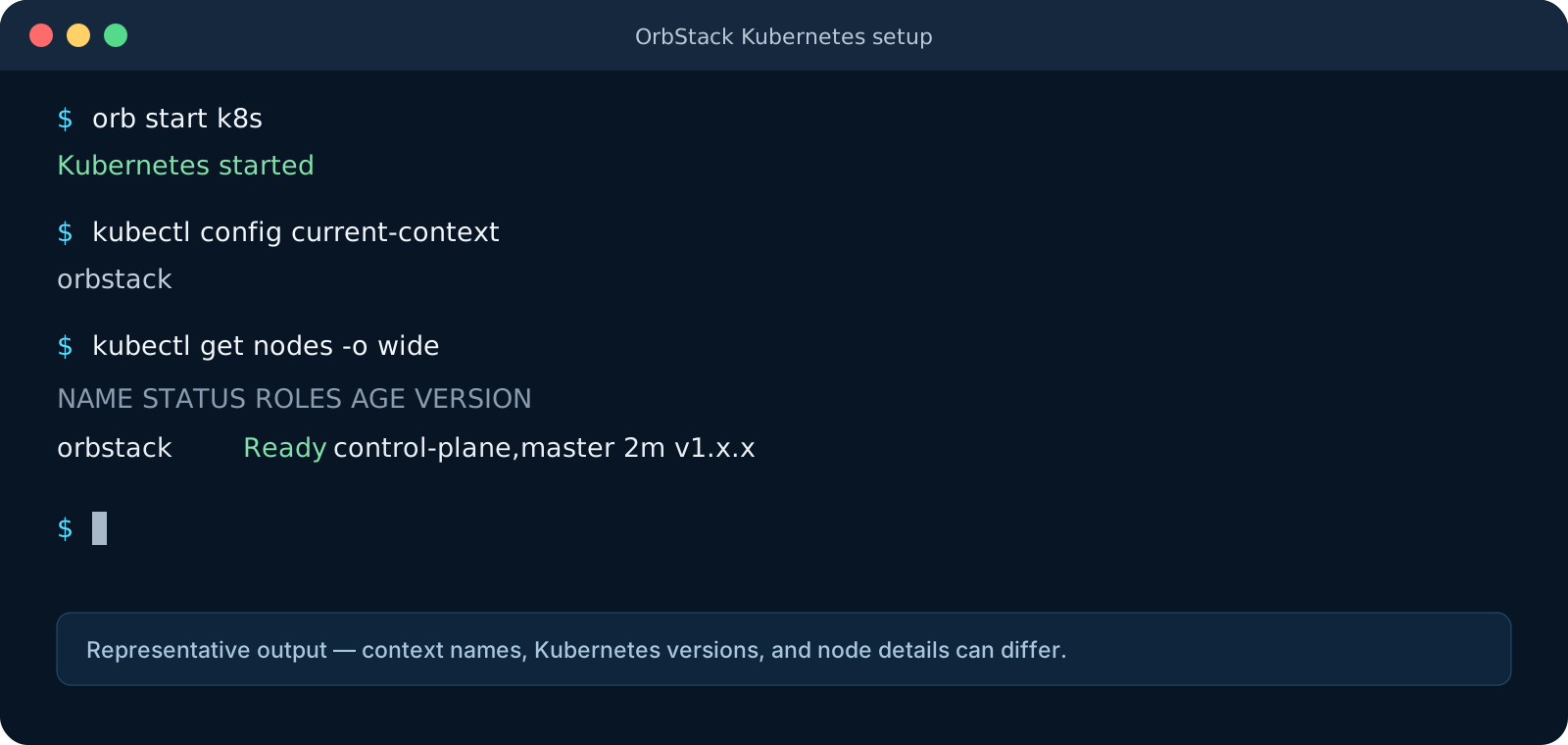 Representative output. Context names, versions, and node details vary by installation.
Install Dapr in development mode
Install Dapr into the current cluster and wait for the rollout:
dapr init -k --dev --wait
The flags are worth separating:
-kselects Kubernetes mode;--devadds Redis and Zipkin plus development components and tracing configuration; and--waitwaits for the Kubernetes installation to become ready, with a default timeout of five minutes.
Development mode is convenient because later examples can use a state store, pub/sub broker, and trace backend without separate provisioning. It is not a production profile. Redis and Zipkin are learning dependencies here, not an availability or data-durability design.
If your connection is slow, increase the wait timeout:
dapr init -k --dev --wait --timeout 600
The command pulls the Dapr runtime and development images. On a first installation, image downloads often account for most of the wait.
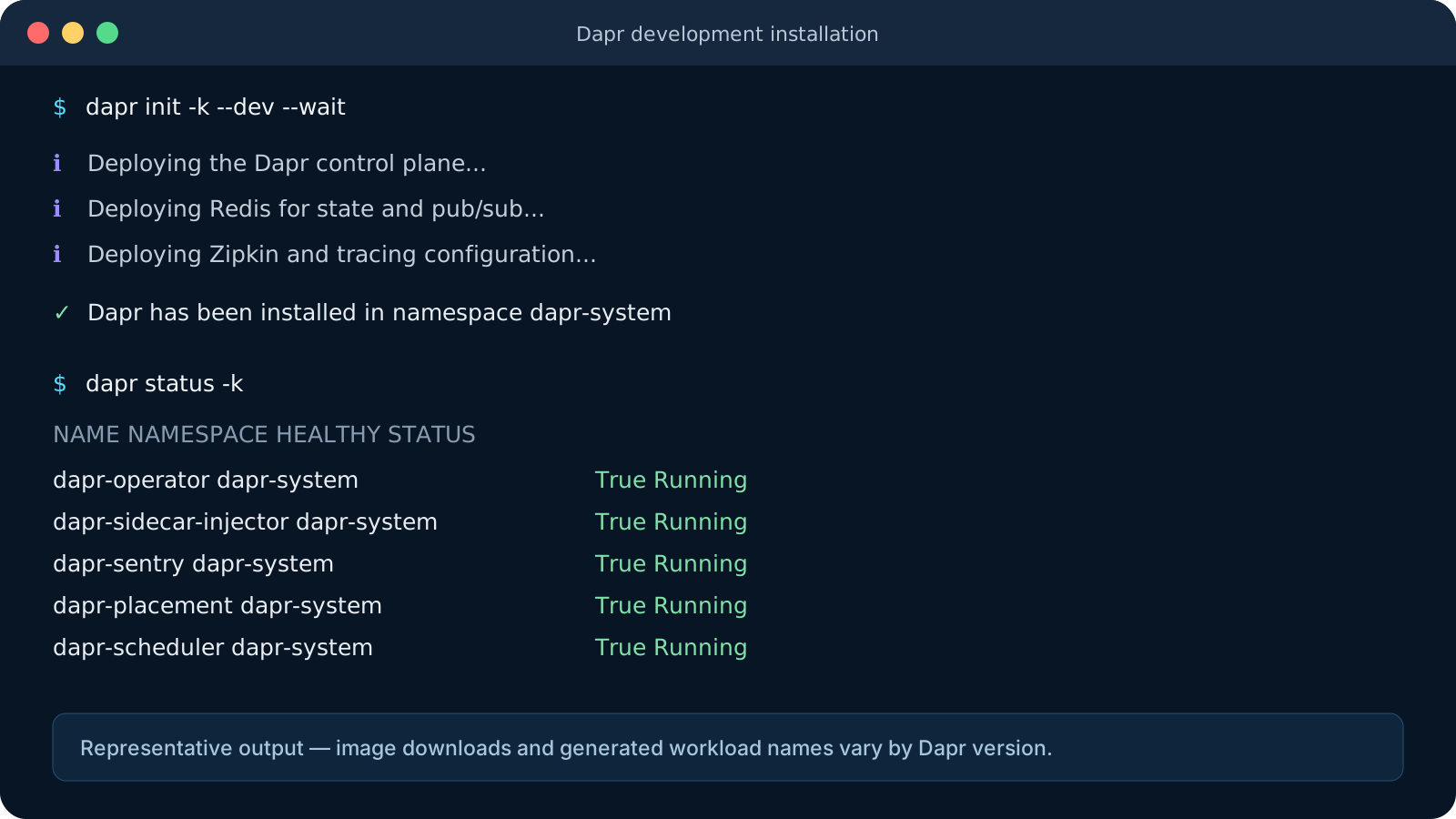 Representative output. Generated workload names and installation messages can vary by Dapr version.
Inspect what Dapr installed
Start with the supported Dapr status command:
dapr status -k
Then inspect the namespace directly:
kubectl get pods -n dapr-system
kubectl get deployments,statefulsets,services -n dapr-system
A current Kubernetes installation includes these control-plane responsibilities:
| Service | Responsibility |
|---|---|
dapr-operator | Watches Dapr resources and manages component updates and Dapr service endpoints |
dapr-sidecar-injector | Mutates annotated pods and adds the daprd container |
dapr-sentry | Acts as Dapr’s certificate authority and manages workload certificates for mTLS |
dapr-placement | Maintains placement tables for actors |
dapr-scheduler | Schedules jobs and supports actor reminders and workflows |
The exact pod names include generated suffixes, and the Scheduler is a StatefulSet rather than a conventional stateless deployment. Judge the installation by readiness and workload type, not by copying pod names from an article.
Development mode also creates Redis and Zipkin workloads and installs resources in the default namespace. Inspect them with:
kubectl get pods
dapr components -k
dapr configurations -k
What happened to dapr dashboard -k?
Older Dapr tutorials use dapr dashboard -k. The Dashboard command was deprecated and removed from the current Dapr CLI documentation in May 2026. Do not treat its absence as a broken installation. For this series, dapr status, dapr components, dapr configurations, dapr logs, and ordinary kubectl inspection provide the supported workflow.
If you are following this article with an older CLI that still contains the command, it may work, but building a new workflow around a removed command only creates future cleanup.
Sidecar injection before we deploy
The Dapr sidecar injector is a Kubernetes admission webhook. When Kubernetes creates a pod whose template contains dapr.io/enabled: "true", the webhook modifies that pod specification and adds a daprd container.
Three annotations establish the essential contract:
annotations:
  dapr.io/enabled: "true"
  dapr.io/app-id: "hello-dapr"
  dapr.io/app-port: "80"
dapr.io/enabledrequests injection.dapr.io/app-idgives the application a Dapr identity used for discovery and several building-block behaviors.dapr.io/app-porttells Dapr where the application listens inside the shared pod network.
The annotation belongs under spec.template.metadata.annotations in a Deployment. Putting it on the Deployment’s top-level metadata does not annotate the pods and therefore does not trigger injection.
The sidecar and application share the pod network namespace. NGINX listens on port 80; daprd exposes its HTTP API on port 3500 and gRPC API on port 50001 by default. The application image does not contain Dapr.
Deploy the hello service
Save the following as hello-dapr.yaml, or download the companion manifest:
apiVersion: apps/v1
kind: Deployment
metadata:
  name: hello-dapr
spec:
  replicas: 1
  selector:
    matchLabels:
      app: hello-dapr
  template:
    metadata:
      labels:
        app: hello-dapr
      annotations:
        dapr.io/enabled: "true"
        dapr.io/app-id: "hello-dapr"
        dapr.io/app-port: "80"
    spec:
      containers:
        - name: web
          image: nginx:1.27-alpine
          imagePullPolicy: IfNotPresent
          ports:
            - name: http
              containerPort: 80
          readinessProbe:
            httpGet:
              path: /
              port: http
            initialDelaySeconds: 2
            periodSeconds: 5
---
apiVersion: v1
kind: Service
metadata:
  name: hello-dapr
spec:
  selector:
    app: hello-dapr
  ports:
    - name: http
      port: 80
      targetPort: http
Apply it and wait:
kubectl apply -f hello-dapr.yaml
kubectl rollout status deployment/hello-dapr
kubectl get pods -l app=hello-dapr
The pod should show 2/2 ready containers: web and daprd. Confirm their names:
kubectl get pods -l app=hello-dapr \
  -o jsonpath='{.items[0].spec.containers[*].name}{"\n"}'
Expected output resembles:
web daprd
Kubernetes created the application pod from your Deployment, while the admission webhook added daprd during pod creation. Editing annotations on a running pod doesn’t retrofit a sidecar; changing a Deployment template triggers a new rollout.
Invoke the application through Dapr
Forward the Dapr HTTP API from the Deployment to your Mac:
kubectl port-forward deployment/hello-dapr 3500:3500
Leave that terminal running. In another terminal, call NGINX through Dapr’s service-invocation API:
curl --fail --show-error \
  http://localhost:3500/v1.0/invoke/hello-dapr/method/
The URL contains two separate identities:
localhost:3500is the Dapr sidecar API you forwarded;hello-dapris the target Dapr app ID; and/aftermethodis the path Dapr sends to NGINX on port 80.
The returned NGINX welcome HTML proves that the request entered the Dapr sidecar and reached the application. For comparison, the Kubernetes Service can be tested directly:
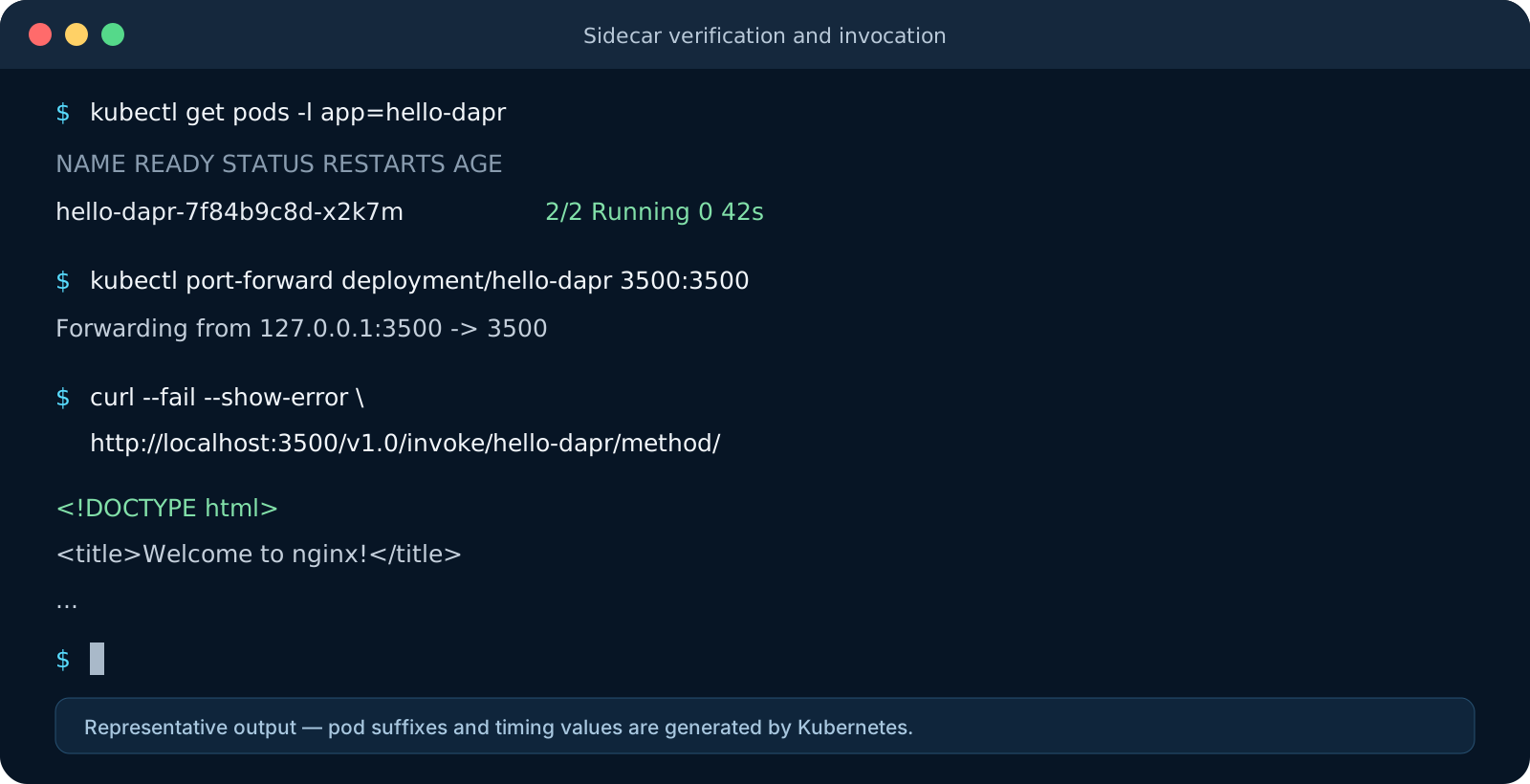 Representative output. Kubernetes generates the pod suffix and timing values.
kubectl port-forward service/hello-dapr 8080:80
curl --fail --show-error http://localhost:8080/
Both requests reach the same application. The second uses Kubernetes networking directly; the first enters through the Dapr application API. Later posts will make the distinction meaningful by calling between applications and applying resiliency, tracing, and component behavior.
Inspect the sidecar log if you want to see the runtime initialize:
dapr logs -k --app-id hello-dapr
The equivalent kubectl command is useful when diagnosing container-specific failures:
kubectl logs deployment/hello-dapr -c daprd
Common first-run failures
The pod shows 1/1, not 2/2
The sidecar was not injected. Check that all three Dapr annotations are under spec.template.metadata.annotations, that dapr.io/enabled is the string "true", and that the injector is ready:
kubectl get deployment dapr-sidecar-injector -n dapr-system
kubectl describe pod -l app=hello-dapr
After correcting the Deployment, restart its pods:
kubectl rollout restart deployment/hello-dapr
The sidecar is present but invocation returns an error
Confirm that dapr.io/app-port matches the port on which the application actually listens. An annotation of 8080 cannot reach NGINX listening on 80. Read both containers’ logs:
kubectl logs deployment/hello-dapr -c daprd
kubectl logs deployment/hello-dapr -c web
Also wait until the pod is ready. Dapr’s readiness is tied to its ability to reach the configured application port.
A local image cannot be pulled
OrbStack shares locally built images with Kubernetes, but Kubernetes normally tries to pull images tagged latest. Give the image a stable local tag such as hello-dapr:dev and use imagePullPolicy: IfNotPresent, or use Never when you deliberately want the deployment to fail if the local image is absent.
For AKS, this convenience disappears. You need to push images to a registry such as Azure Container Registry and make them accessible to the cluster. That difference will matter when we move the sample to Azure.
Dapr installation pods are stuck in ImagePullBackOff
Check the detailed event message before retrying:
kubectl describe pod -n dapr-system <pod-name>
Corporate proxies, registry restrictions, DNS failures, and rate limits can all look like an image problem. By default, the Dapr CLI pulls control-plane and sidecar images from its configured public registry. Fix access rather than repeatedly reinstalling.
You installed into the wrong cluster
Check the current context:
kubectl config current-context
Don’t uninstall immediately until you know what else uses Dapr in that cluster. On a disposable OrbStack cluster created only for this tutorial, uninstalling is straightforward; on a shared cluster, removal is an operational change.
Clean up without deleting OrbStack
Remove the sample:
kubectl delete -f hello-dapr.yaml
Keep Dapr installed if you plan to follow the next building-block exercises. To remove the Dapr installation and its development dependencies from this local cluster:
dapr uninstall -k
If you only want to pause local resource use, stop the cluster:
orb stop k8s
Deleting the OrbStack Kubernetes cluster is more destructive than stopping it and removes its workloads. Use orb delete k8s only when you intend to.
What transfers to AKS
The important pieces are already portable: pod annotations, the Dapr app ID, the application port, the sidecar API, and most of the workload manifest. On AKS, the meaningful changes are around them:
- the cluster has remote nodes and a production networking model;
- application images come from a registry such as ACR;
- the Dapr extension is an installation and lifecycle option;
- development Redis and Zipkin are replaced by deliberate managed or self-operated dependencies;
- identity, secret access, ingress, resource limits, availability, and observability require production choices.
The local exercise was therefore not a toy version of a different architecture. It was the same Dapr application boundary in a deliberately smaller environment.
Continue with From OrbStack to AKS: Installing Dapr on a Managed Cluster. We compare the Dapr CLI and AKS extension paths and redeploy this sample with an Azure-appropriate operating model.
Return to the Dapr on Kubernetes and AKS series index.
Sources
- OrbStack Docs — Kubernetes
- Dapr Docs — Deploy Dapr on a Kubernetes cluster
- Dapr Docs — Overview of Dapr on Kubernetes
- Dapr Docs — Dapr sidecar overview
- Dapr Docs — Dapr arguments and Kubernetes annotations
- Dapr Docs — Dapr CLI reference